Accurate lighting estimates you can trust
Countfire is the intelligent estimating solution that lets you count, price and complete lighting estimates easily. Master your drawings and go from takeoff, to client-ready proposal, in record time.
The basics
What is lighting estimating software?
Lighting estimating software helps estimators count, price and complete lighting estimates from project drawings, all in one tool. Instead of counting fixtures manually with printed drawings and highlighters, then rebuilding those counts in a spreadsheet, takeoff and estimating happen together, from drawing to client-ready proposal.
Countfire uses automated takeoff to count every lighting fixture, controller and accessory across multiple drawings at once, differentiating each type in your final estimate. Linear measurement handles LED strip and extrusion lighting made to any length, zones let you split quantities into the right sections for pricing, and intelligent pricing reuses figures from your regular lighting items. The result is a faster estimate you can trace back to the drawing, line by line.
Intelligent takeoff
Automate counting of all lighting elements
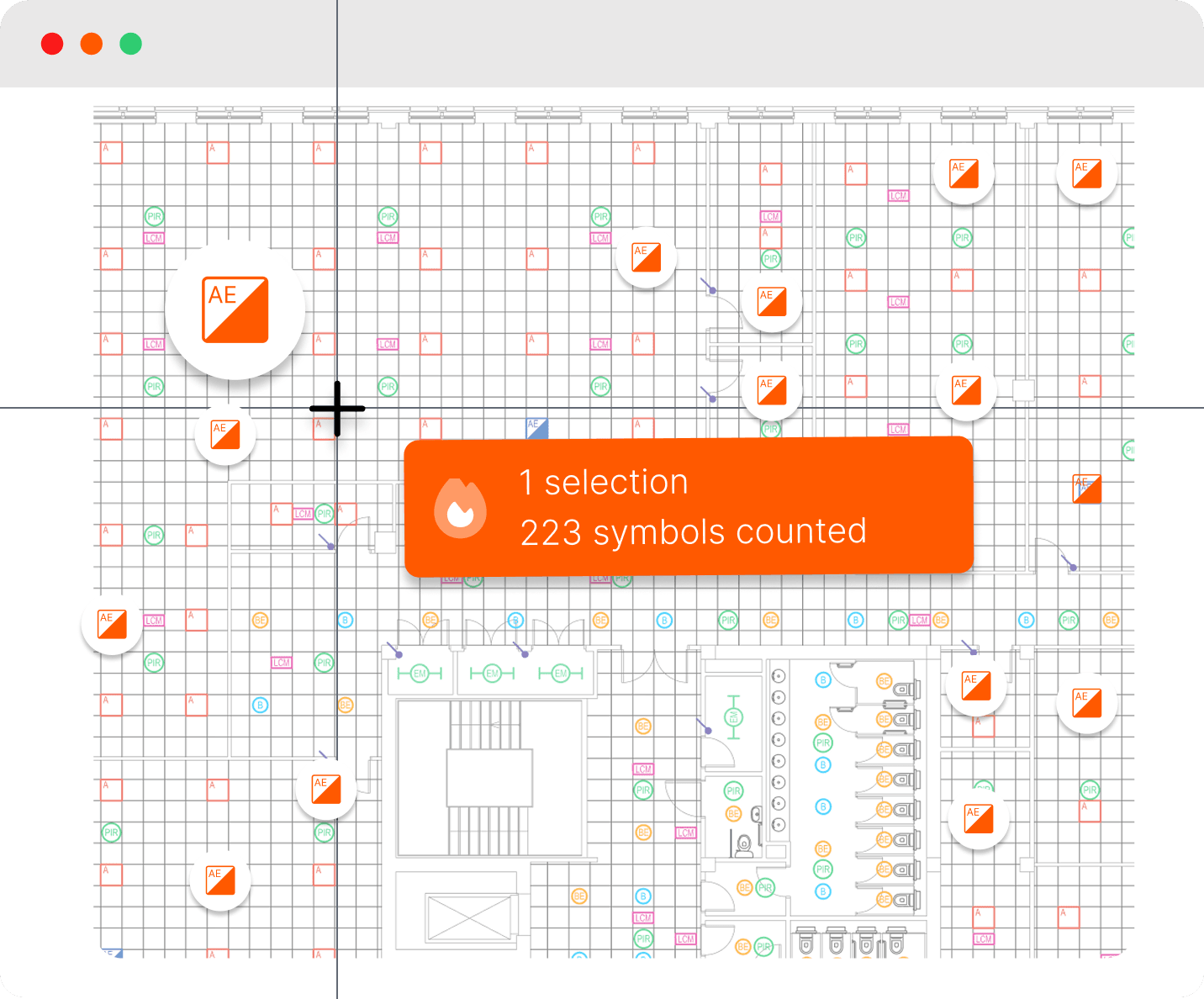
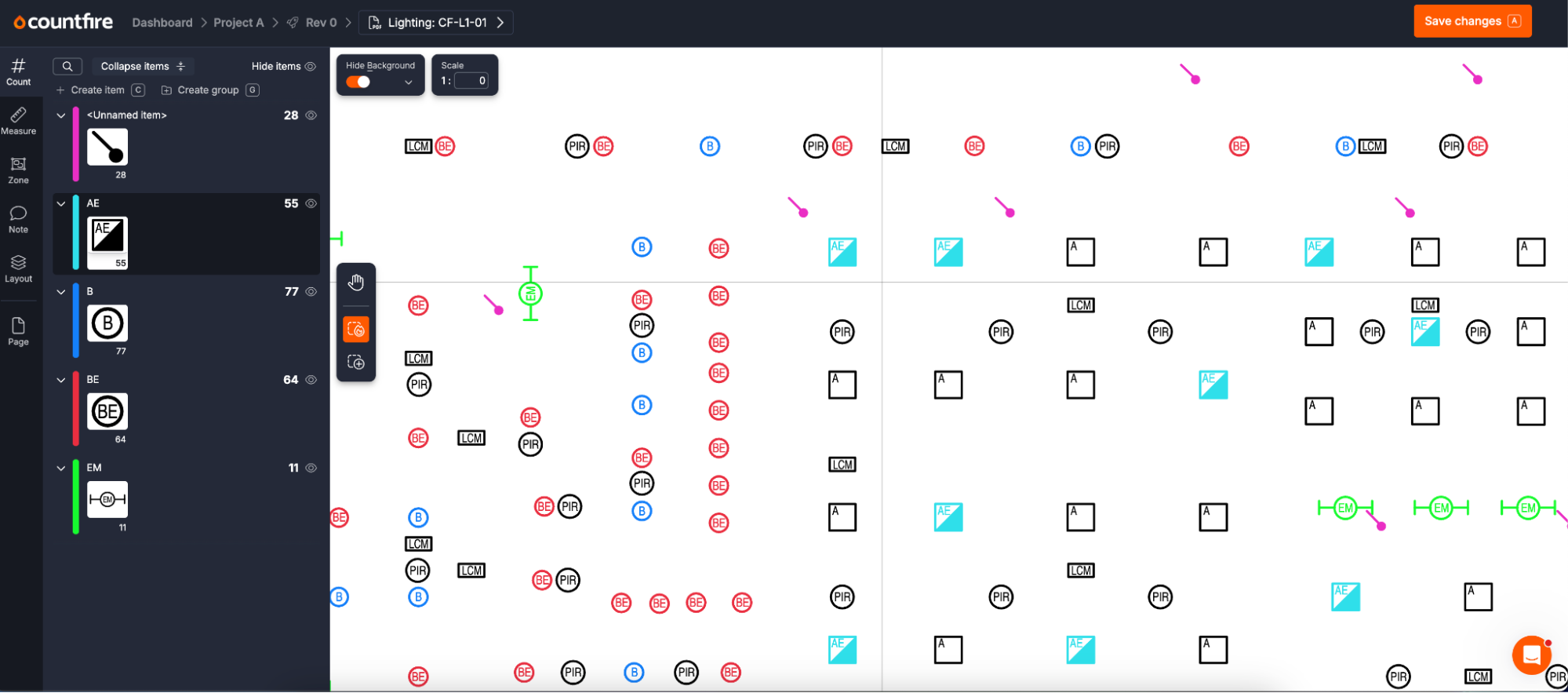
Countfire uses intelligent takeoff to automatically count all lighting fixtures, controllers and accessories across multiple drawings, and differentiate each type in your final estimate.
Intelligent estimating
Increase speed
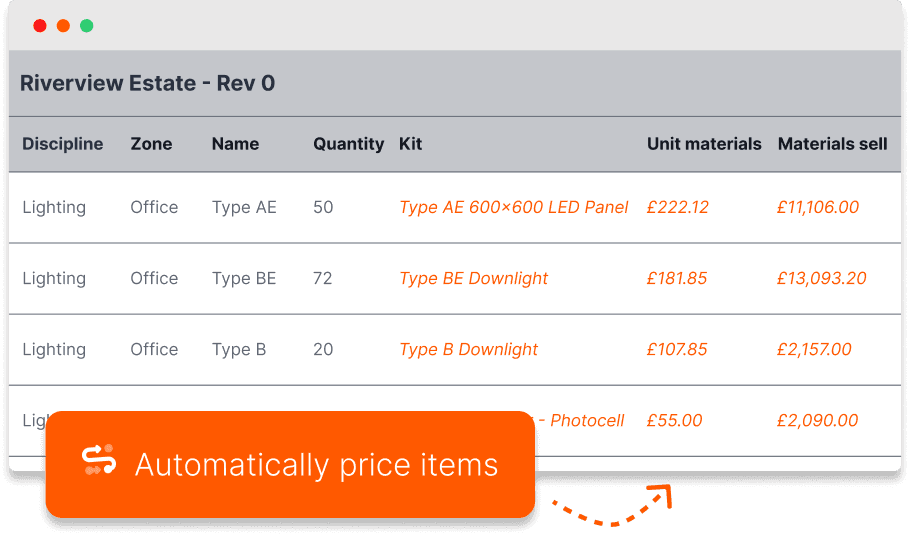
Reuse pricing from your regular lighting items to drastically reduce the time it takes to get you from takeoff, to completed estimate.
Smarter estimating
Ultimate confidence in your estimate
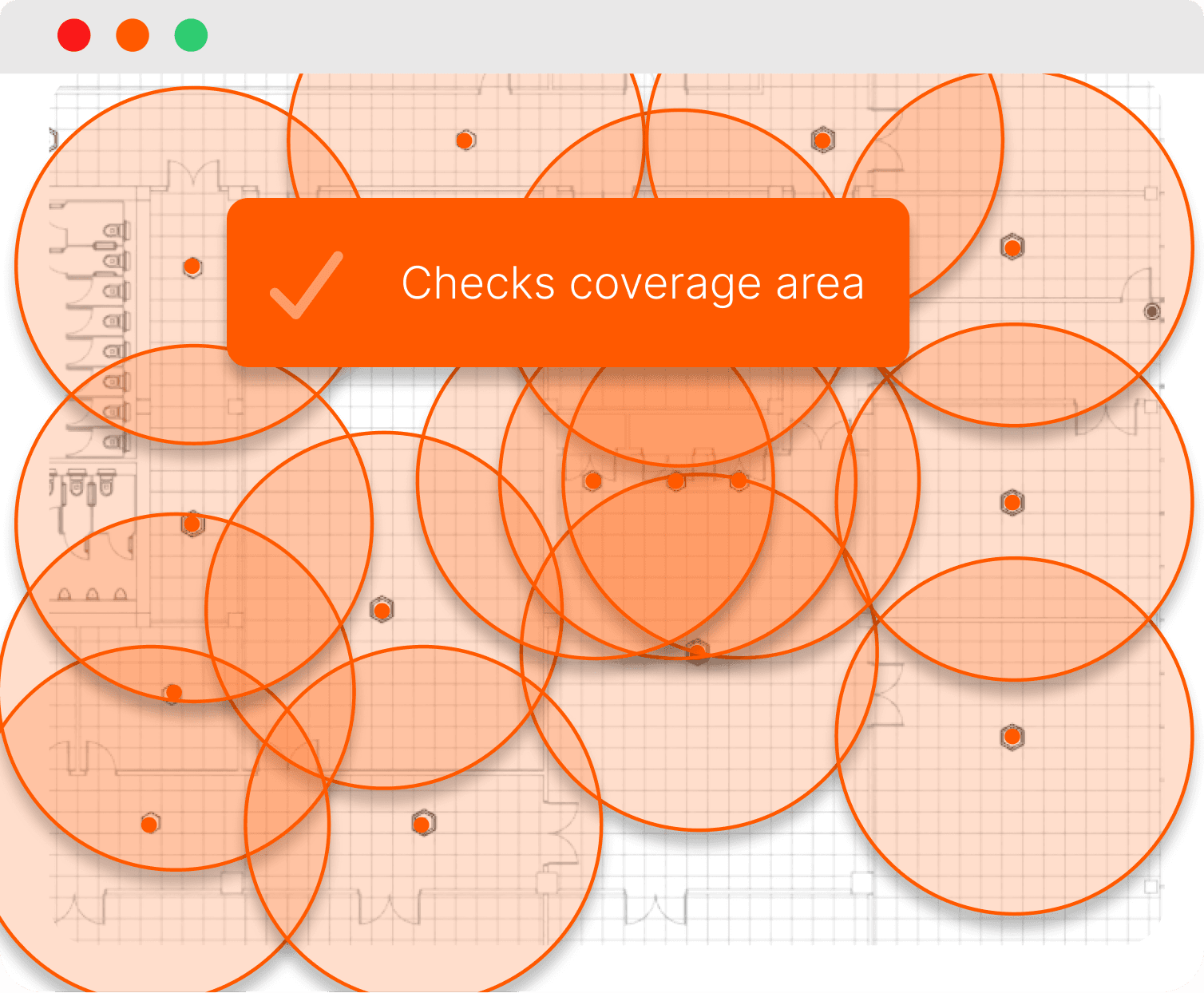
The coverage area tool allows you to check PIR detection area, for ultimate confidence that areas are covered, or allowing you to note any design changes needed.
Client-ready estimates
Design as you go
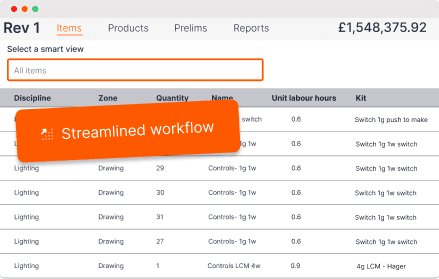
Easily review designs as you estimate, plan spacing and add additional fixtures or luminaires to your drawings, all of which are broken down in your final estimate.
Lighting companies who love Countfire





The future of estimating
Why Countfire for estimating lighting control & luminaires?
99% accuracy
Countfire has been built with accuracy at its core, so you can win more work and remove manual errors.
Built by estimators
As former electrical estimators ourselves, we know first-hand what it takes to win accurate estimates in today's world.
World-class support
Our product specialists are there to support via live chat, phone, or email so you always get your estimates in on time.
Fully cloud-based
From day one Countfire has been a fully cloud-based tool. Access estimates from wherever you work.
Collaborate easily
Work together on estimates to increase team visibility and meet client deadlines.
Continually improved
Working in two-week cycles, we release and share hundreds of platform enhancements each year.
Frequently asked questions
Who is Countfire for?
Countfire is for the people producing lighting numbers for a tender: lighting estimators, quantity surveyors, technical sales teams at lighting manufacturers and suppliers, lighting designers who price their own schemes, and electrical contractors quoting lighting packages.
It is used across the full range of lighting businesses. Manufacturers and suppliers like Dextra Group use it to quote fixture packages at volume. Distributors and solutions providers like CED Fort Worth in the US use it to turn drawings into quotes faster. Design Lighting uses it on projects up to 56 storeys.
Countfire is fully cloud-based, with teams working across the world. Whether you price a handful of large schemes a month or dozens of smaller quotes a week, the workflow is the same: upload drawings, count automatically, price and send.
How to use lighting estimating software
Here is how a lighting estimate comes together in Countfire:
- Upload your drawings. Add the full PDF drawing set for the project.
- Run automated takeoff. Select each fixture symbol once and Countfire counts every instance across all drawings, differentiating fixture types, controllers and accessories in your totals.
- Measure linear lighting. Use linear measurement for LED strip, extrusion and feature lighting that is made to length rather than counted.
- Check coverage and refine the design. The coverage area tool checks PIR detection areas, so you can confirm coverage or note design changes. Plan spacing and add fixtures or luminaires as you go; anything added appears on the final estimate.
- Split quantities with zones. Break counts into sections, so your estimate reflects how the client wants pricing presented, area by area or package by package.
- Price and export. Intelligent pricing applies figures from your regularly used lighting items. Export a client-ready estimate with a full breakdown, with every version stored in the cloud.
How can lighting estimating software save me time?
The slowest part of a lighting estimate is the counting. On a big commercial drawing, one estimator can spend hours marking off fixtures with a highlighter, and a multi-level project multiplies that across every floor. It is repetitive, error-prone work, and a single missed fixture type means going back through the whole set. Automated takeoff removes that job almost entirely: select a symbol once, and Countfire counts it across every drawing in the project.
The savings are measurable. For example, Design Lighting cut the takeoff on a 56-storey development from 10 hours to around four.
Time comes back at other points in the workflow too:
- Pricing that remembers. Regularly quoted fixtures are priced automatically from previous estimates, instead of being looked up every time.
- One workflow. Counts flow straight into the estimate, removing the transfer step between takeoff and spreadsheet where errors creep in.
- Fewer re-counts. Built-in accuracy checks replace the second manual pass most estimators do to be safe.
- Faster revisions. When drawings change, you adapt the takeoff rather than starting again.
- Consistency across the team. In-built workflows mean every estimator follows the same process, so estimates are comparable and quality does not depend on who counted.
Less time counting means more tenders submitted, and more attention on the pricing decisions that win work.
Features of our lighting estimating software
Automated takeoff for every fixture type. Select a symbol once and Countfire counts it across all drawings in the project, distinguishing fixture types, controllers and accessories so your totals are broken down correctly from the start.
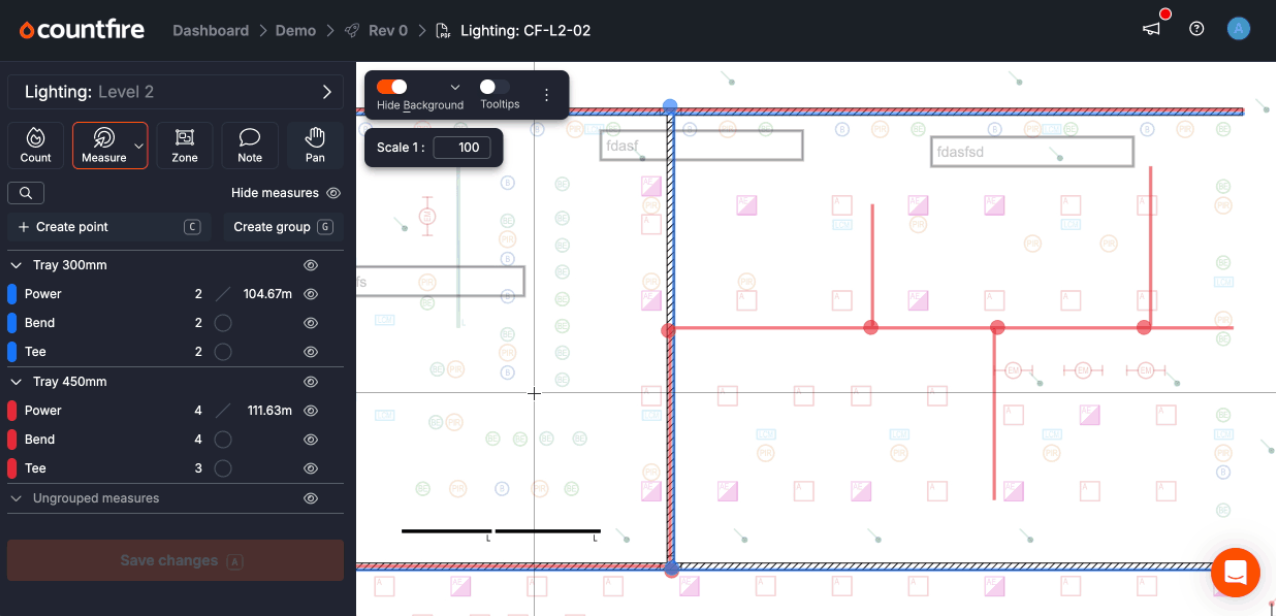
Linear measurement. Measure LED strip, extrusion and feature lighting made to any length, with each run itemised on the estimate individually or by total.
PIR coverage area tool. Check detection areas for PIR sensors and lighting controls directly on the drawing, so you can confirm coverage or flag design changes before pricing.
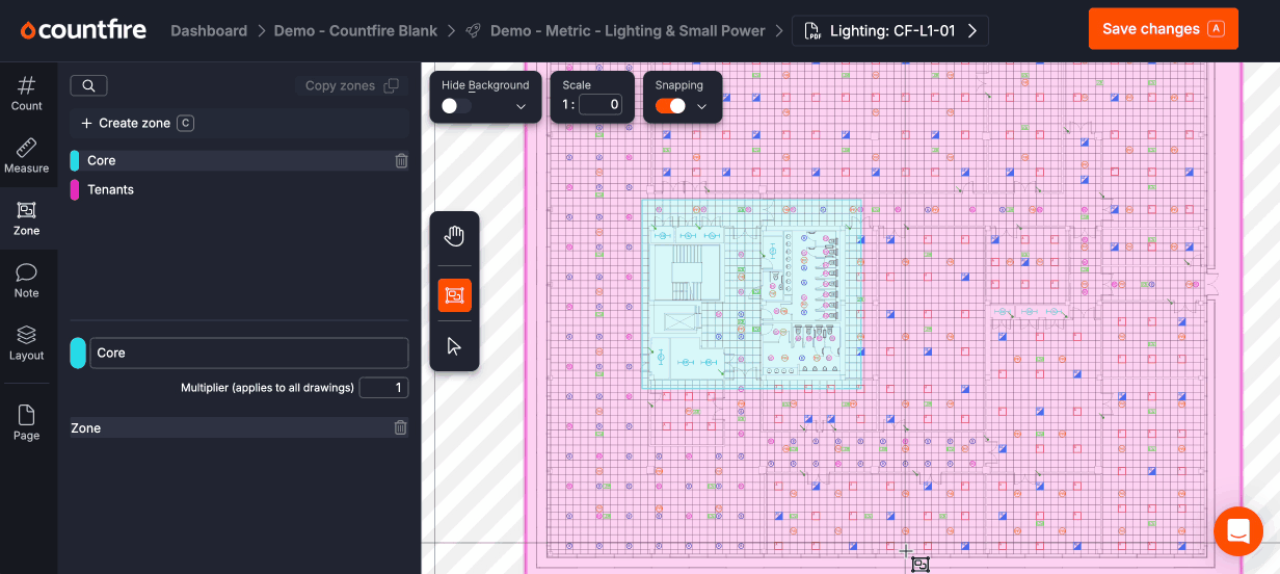
Zones. Split quantities into sections, useful when one symbol needs to be priced differently by area, or when a client wants the estimate broken down floor by floor.
Design as you go. Review spacing and add fixtures or luminaires while estimating. Everything added shows on the final estimate, so nothing is designed in but left unpriced.
Intelligent pricing. Prices for your regular lighting items are applied automatically from previous estimates, cutting the gap between finished takeoff and finished estimate.
Built-in accuracy checks. Uncounted items are flagged before the estimate goes out, protecting your margin and your reputation.
Fully cloud-based. Every estimate is stored with a digital record of every version, so you can refer back, revise or defend a quantity months later, from wherever you work.
Top tips for producing accurate lighting estimates
Software speeds things up, but accuracy still comes from a good process. A few practices we see in the best lighting estimating teams:
- Work through the drawing systematically. Whether counting manually or checking an automated takeoff, work through fixture categories in a consistent order: luminaires first, then lighting control and switches (PIRs, dimmers, switch plates), then linear requirements.
- Use zones to match the client's breakdown. If the client wants pricing by floor or area, split quantities at takeoff stage rather than untangling a single total later.
- Check symbol legends against every drawing. Symbols can vary between drawings in the same set, especially when multiple designers contributed. Confirm each symbol before counting it.
- Complete an accuracy check. In Countfire this is built in; done manually, it is the pass most likely to be skipped under deadline pressure, and the one that catches the expensive misses.
- Standardise the process across your team. When every estimator follows the same workflow, estimates are consistent, comparable and easier to review.
For a fuller walkthrough, read our guide to producing accurate lighting estimates.
Why lighting estimators and contractors choose Countfire
Lighting businesses choose Countfire because the results show up in their numbers. Value Lighting reduced count time by 50% and increased quote production by 20%. Craig Reid at Dextra Group calls Countfire integral to the business: without it, they could not deliver the speed of work they do.
The reasons that come up most often:
- Accuracy they can stand behind. The built-in checks are accurate and pick up everything.
- Ease of use. Design Lighting chose Countfire after a week-long trial because its design made it the obvious choice against tools the team had struggled with.
- Built by estimators. The team behind Countfire are former estimators, so the workflow matches how lighting quotes actually get produced.
- Support that shows up. Product specialists are available by live chat, phone or email, backed by Capterra and Software Advice customer support badges and an overall 4.8 star Capterra rating.
Loved by customers
"Being able to spend less time and resources on this aspect of the job really helps us to keep our costs down and lowers our risk. We can focus our time better."
"Countfire is the biggest time-saving system we've ever implemented into our business."

Paul Williams
Eclipse Integration
"Game Changer. Saves more time than I care to count."

Ryan Beck
Winters Electrical
"Countfire is now a fundamental part of our estimating experience."

Matt Goodacre
MJLonsdale
"Countfire really helps - we know it's going to be accurate. The built-in checks are excellent and picked up everything."

David Leslie
Designplan Lighting
"The management team saw straight away that it was a great product which would save me time and enable me to focus on the other parts of my job. They were really impressed."

Chad Baumgartner
Graybar
"If my company were to pull the plug on Countfire, I'd pay for it myself - that's how valuable it is to me."

Ronan Carroll
Lucid Electric
"If you want something that is agile, accurate and is economical then you have to go with Countfire."

Eric Bronson
Anixter
"Countfire is extremely easy to use. It's quick, no wasted paper, and you've got records of what you've done."

Mike Tydd
ROC Group
"If we were counting up to 10 drawings a week previously as a team, I'd say we can now easily get 40 completed in a week in Countfire with only 4 estimators. That's a huge difference for us."

Craig Reid
Dextra Group
"We'll keep using Countfire as we grow. It's fast, reliable, and we know we can trust the results."

Eddy Tobaji
Adept Fire
"The training and support from Countfire has been exceptional and the time savings our teams have seen speak for themselves."

Travis Francher
Wachter